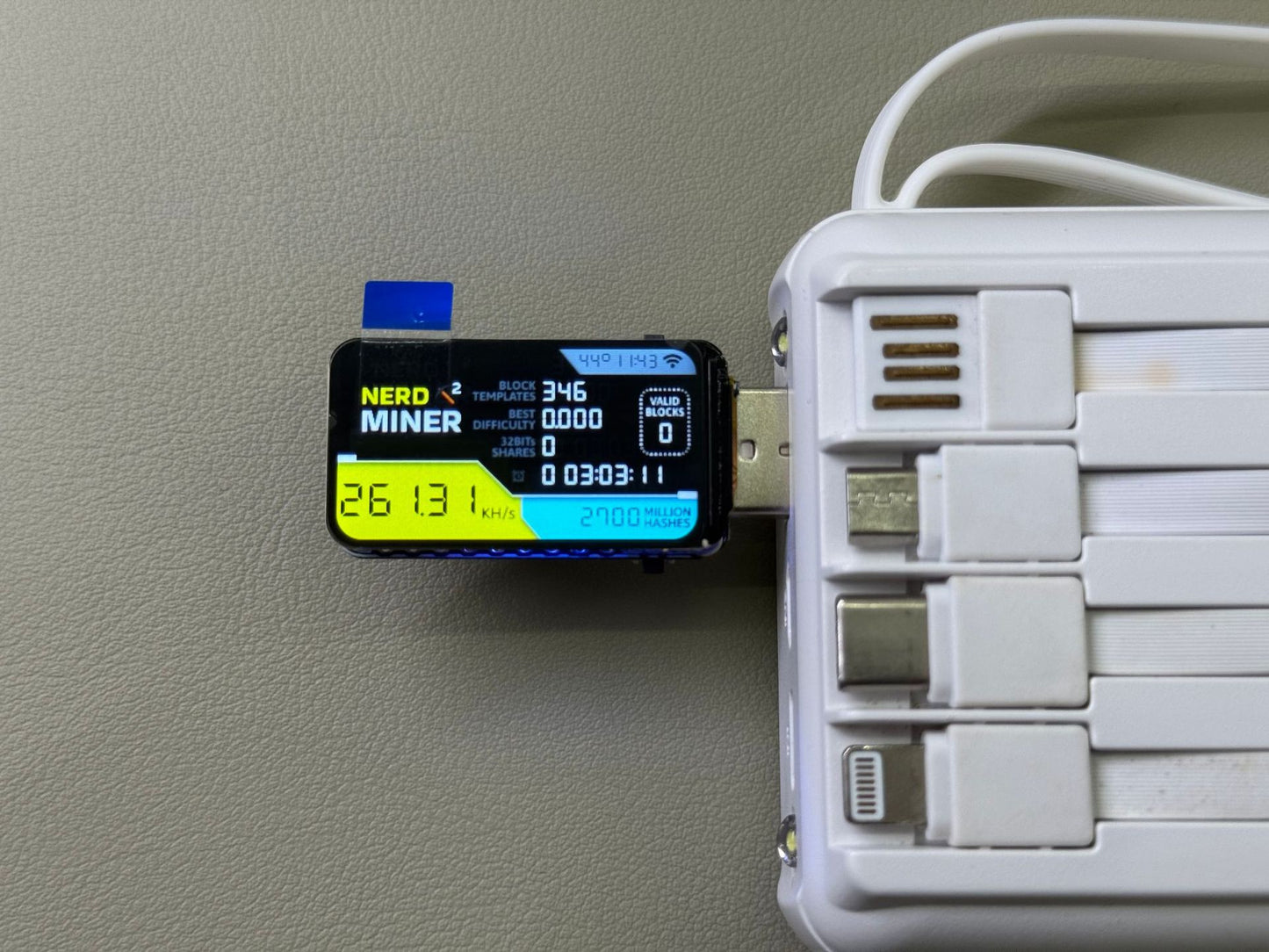
Miner Forge PRO - Limited Editionv3/usb
Miner Forge PRO - Limited Editionv3/usb
In stock
Couldn't load pickup availability
Take your shot at winning Bitcoin with solo mining AI technology, now available for home enthusiasts. More devices, more chances to win!
- Get a shot at solving a block of 3 BTC
- Runs on just 1W via USB-C
- Plug in, set & forget
- Lifetime warranty & money-back guarantee
-
How does the MinerForge Pro actually work?
The MinerForge Pro connects to the Bitcoin network and performs real solo mining - meaning it independently tries to find a valid block hash. It uses open, read-only network data to participate safely in the mining process without accessing your personal information or wallet.
Each “shot” is a new attempt at discovering a block, which theoretically could yield a Bitcoin reward, although the odds are very small. -
Does buying more miners improve my odds?
Yes. Each device runs independently, producing its own stream of hashes (lottery tickets). The more units you run, the more chances you have of hitting a winning block. -
Do I need any technical skills to set this up?
Not at all. Just plug the miner into power, connect to Wi-Fi once through your phone, and you’re mining. No coding, no special hardware, no experience required. -
Do I need a computer to run this?
No. Everything runs directly on the device. You only need a smartphone, tablet, or computer for the initial Wi-Fi setup. After that, it works completely on its own. -
Button Controls
Single Button Boards -
Boards equipped with only a boot button:
Button Action Function Boot Long press Enter miner configuration mode Boot Double click Switch to next screen page (if display available) Boot Single click Wake up screen (if display available) - Dual Button Boards
-
Boards with both boot and user buttons:
Button Action Function Boot Long press Clear all status from NVS (if feature enabled) Boot Single click Wake up screen (if display available) Boot Double click Wake up screen (if display available) User Single click Wake up screen (if display available) User Double click Switch to next screen (if display available) User Long press Enter miner configuration mode -
Display Information

-
Initial Setup
First-Time Configuration-
Automatic WiFi Connection: Upon power-on, the device attempts to connect to the previously configured WiFi network. If connection fails after 15 seconds, it automatically enters configuration mode.
-
Access Point Setup: Search for the free access point named
nmap-2.4g(no password required). -
Configuration Interface:
- Mobile devices: You will be automatically redirected to the configuration page
-
PC/Desktop: Navigate to
192.168.4.1in your web browser
-
-

- Parameter Configuration: Configure your mining parameters following the on-screen instructions. Note that higher UI refresh values result in increased hash rates, and hash rates also improve when the display is turned off.

-
Accessing Configuration: You can return to the configuration page at any time using the button controls.
-
Saving Settings: After clicking Save, allow 10-15 seconds for the process to complete. Do not manually reset the device; it will restart automatically.
-
Manual Configuration Mode
-
For single button boards:Long press the boot buttonFor dual button boards:Long press the user buttonFollow the First-Time Configuration steps.

-
Firmware Installation & Updates
Using NMMiner Flash Tool -
Step 1: Open the NMMiner Flash Tool in Chrome or Edge browser.
Step 2: Select your board model and initiate the firmware update. The tool will automatically:
- Download the latest firmware version from GitHub
- Configure flash parameters for your specific board

Note 1: If you're simply updating existing firmware, the above steps are sufficient. For first-time installations, firmware activation is required.
Note 2: If you lose your license, re-flash your device using the;NMMiner Flash Tool to receive a new license automatically.
-
Firmware Activation
-
Step 1: After flashing the firmware, obtain your license following the on-screen instructions.

Step 2: Copy the license string into the license code field and click the activation button. Successful activation will display a confirmation message.

Step 3: For first-time installations, configure basic settings as shown below. Alternatively, you can configure these settings later using the button controls.

Step 4: Your miner is now ready to use!
-
Mining Pool Configuration
- Due to limited on-chip resources, some high-difficulty mining pools may reject connections from ESP32-based miners. The following pools support low-difficulty stratum connections suitable for this hardware:
-
Bitcoin (BTC)
-
stratum+tcp://public-pool.io:21496- Home page -
stratum+tcp://pool.tazmining.ch:33333-Home page -
DigiByte (DGB)
-
stratum+tcp://dgb-stratum.solominer.net:3333-Home page -
Monitoring & Management
-
NMController Applications
-
Both NMController Client and NMController Web provide identical functionality:
- NMController Client: Windows desktop application
- NMController Web: Cross-platform solution for Windows and macOS
-
Network Scanning with NMController Client
-
The client automatically scans your local network to discover active miners:

-
Device Configuration
-
Configure individual miners or groups of miners through the NMController interface (requires firmware v1.5.xx or later):

-
Web-Based Monitoring
-
Access the web monitoring interface by navigating to your miner's IP address in a web browser. This interface provides functionality similar to NMController:

-
Support & Contact
- We are committed to expanding support for additional Miner Forge PRO development board models. If you encounter any issues or have suggestions for improvement, please reach out to us.


What would you like to learn about?
What would you like to learn about?
Here are some of the frequently asked questions. To provide you with the best customer experience, your feedback is greatly encouraged. If you have any questions please send us an email at support@laxruecomm.com
Which Browser Should I Use To View Your Site?
We highly recommend that you browse with the latest version of Microsoft Internet Explorer, Mozilla Firefox, Google Chrome or Apple Safari.
How Do I Place An Order On Laxruecomm.com?
Ordering on Laxruecomm.com is easy and safe. Once you have found the item you would like to purchase, click on the “Buy It Now” and then click the bag button in the upper right corner to proceed to the checkout. Follow the directions through the checkout process to complete your order. Your order will not be placed until the very end of the checkout process when you will be asked for your credit card information.
What Payment Methods Does Laxruecomm.com accept?
We currently accept all major credit cards, debit cards and PayPal. For information on alternate payment methods, please contact Customer Support team at support@laxruecomm.com.
Is It Safe To Order On Laxruecomm.com?
Yes, it is safe to order on Laxruecomm.com. We use industry-standard encryption technologies when transferring and receiving customer data exchanged with our site server.
How Safe Is My Personal Information?
Our site uses a Secure Sockets Layer (SSL) protocol to encrypt all personal information send during the checkout process. For more information on how we secure and use your information, please consult our Privacy Policy.
How Do I Apply My Discount Code?
On the checkout page, enter your discount code under the 'Discount' field. Please note that only one discount can be applied per order, and each discount has one use per customer.
I Love Your Products, But Are They Safe?
Yes. We have made sure that none of our products do contain any dangerous material or any other material that could endanger your personal health.
When Will I Get My Order?
Standard International Shipping: 5-7 business days
All orders will be dispatched from our warehouse within 3 business days. In peak periods, please allow for up to 7 business days for dispatch. Note, all shipping times exclude clearance/customs delays.
How Long Will It Take To Receive A Tracking Number?
It will take usually between 3-5 business days. If for any reason you have not received your shipping confirmation email, please let us know by emailing support@laxruecomm.com. We will be happy to find out what exactly is going on with your order.
Once I Get The Tracking Code, How Can I Track My Order?
You can track your order at anytime on our page: https://laxruecomm.com/pages/order-status
Enter your tracking code in the white box and click "Track" button.
Which Currency Will I Be Charged In?
We process all orders in USD. While the content of the cart may be displayed in several currencies, you will checkout using USD at the most current exchange rate.
Can I Change Or Cancel My Order?
To cancel or change your order, please email us immediately on support@laxruecomm.com (not more than 24 hours). Once our warehouse has processed your order, we will be unable to make any changes, so it is important to contact us as soon as possible.
What If I Need To Return Something?
No worries! Contact us and we will help guide you through the process to send the item back.
What Can I Do If I Received A Damaged Item?
If you have received a damaged item, please let us know immediately at support@laxruecomm.com so we can resolve the issue as soon as possible!
We are not responsible for any damages caused by wear and tear if the item does not fit due to issues with sizing. Damages caused by refitting and resizing on your own will not be accepted.
Where Can I Buy Laxrue products?
Please be aware, that as the business grows it does mean that we are vulnerable to fake accounts claiming to sell Laxrue products. Therefore, when placing an order with Laxrue , please order from Laxruecomm.com, as this is the only place in which you will find real and authentic Laxrue products.What If I Have A Question Not Listed Here?
Contact us at support@laxruecomm.com and we will follow-up with you within 24 hours.